WARNING: REMOTE HOST IDENTIFICATION HAS CHANGED! 해결 방법 2가지
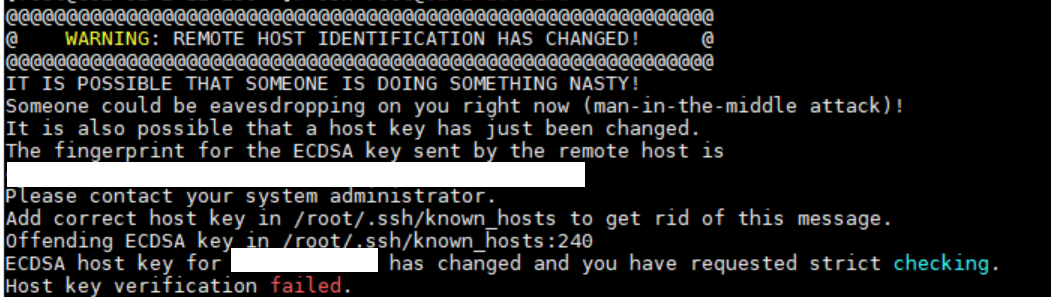
ssh 로 접속시 위와 같이 에러가 발생을 하면 방법은 2가지가 있다.
첫번째는
/root/.ssh/known_hosts:240
위 내용에 보면 해당 /root/.ssh/known_hosts 파일에 240 번 줄에 있는 키가 변경되어서 접속이 에러 발생 하는건데 이 키값을 삭제 해주면 된다.
해당 파일을 수정하고
# vi /root/.ssh/known_hosts
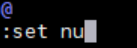
: set nu 누르면
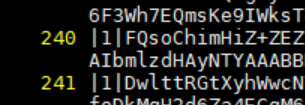
맨앞에 줄 번호가 뜨고 해당 줄 번호를 삭제 해주고
# ssh root@192.168.0.55
The authenticity of host ' 192.168.0.55 ( 192.168.0.55 )' can't be established.
ECDSA key fingerprint is .
Are you sure you want to continue connecting (yes/no)? yes
Warning: Permanently added ' 192.168.0.55 ' (ECDSA) to the list of known hosts.
Activate the web console with: systemctl enable --now cockpit.socket
다시 키를 생성하겠다고 뜨고 yes 누르면 해결이 된다.
두번째는
# ssh-keygen -R 192.168.0.55
# Host 192.168.0.55 found: line 253 type RSA
# Host 192.168.0.55 found: line 254 type ECDSA
/root/.ssh/known_hosts updated.
Original contents retained as /root/.ssh/known_hosts.old
ssh-keygen -R 192.168.0.55
이렇게 해주면 찾아서 키 삭제를 안해도 알아서 삭제 해준다.
이제 다시 접속 하면 문제 없이 접속이 된다.
'Linux' 카테고리의 다른 글
| The form contains the following error:Username has already been taken gitlab (2) | 2025.08.24 |
|---|---|
| kdbg install for rocky 8.10 (0) | 2025.08.01 |
| openproject user 계정 삭제 방법 (3) | 2025.06.28 |
| openproject install on rocky 9.5 (2) | 2025.06.19 |
| gitlab-runner install 수동 설치 방법 (8) | 2025.06.13 |